For entirely innocent reasons people can fail to pay tax on taxable income. They may have earned taxable income from self-employment, renting out a property they own, or from savings, investments or sale of a valuable asset and not know that any tax is payable.
People can be surprised to find out that tax is payable on a side-hustle, whether selling online or offline. Others don’t realise that income earned overseas can be subject to UK tax. Sometimes busy people know that they need to file a Self Assessment tax return, but miss the filing deadline.
Registering for Self Assessment
After people learn they’ve not paid tax on taxable income, some decide to report it to HMRC. In other cases, HMRC can become aware of unreported taxable income, so it writes to a taxpayer to tell them they need to file a Self Assessment tax return.
Usually, it’s pretty simple to complete Self Assessment tax returns for up to three previous tax years. HMRC may allow you to go back further and complete more tax returns, but you must contact the Self Assessment helpline to request online access via your online tax account.
- If you haven’t previously done so, you’ll need to register for Self Assessment.
- As part of the process, you’ll get a Unique Taxpayer Reference number, which is a 10-digit code that HMRC uses to identify you regarding your tax affairs.
- If you’ve registered for Self Assessment previously but did not send a tax return last year, you must register again to reactivate your account.
Accessing previous tax returns
Once registered, you can contact HMRC to request Self Assessment tax returns from previous years. Then you should be able to log into your tax account, where you will have the option to select Self Assessment tax returns for previous tax years. When completing your tax return(s) you will need:
- your Government Gateway login
- your UTR and NI number
- employed income records (eg payslips/P60/P45) if employed
- self-employed income records (eg invoices, bank statements, financial records, etc)
- records of expenses if self-employed
- details of other taxable income (rental, dividends, interest, foreign income, pension, etc)
- details of pension contributions, charitable donations, or other reliefs.
Need to know! As well as the main eight-page SA100 Self Assessment tax return, you will need to complete and file supplementary pages to summarise income and expenses from specific taxable sources. For example, SA103 (self-employment), SA105 (UK property income), SA106 (foreign income or gains), SA108 (capital gains), etc.
Late-filing penalties
- If HMRC has written to you to tell you to file a Self Assessment tax return and you’ve missed the deadline, a £100 late-filing penalty is payable.
- If HMRC has issued a notice to file after finding out about taxable income that you should have reported, you may be given three months to file from the date of issuing the tax return(s) before any penalties are charged. HMRC will consider your case.
Filing tax returns for previous years FAQs
Why might I need to file a Self Assessment tax return from a previous tax year?
You may have failed to file a tax return to report taxable income, possibly because you did not know it was taxable. Alternatively, HMRC may write to you to tell you to complete a Self Assessment, after finding out about untaxed income that you’ve received.
How many years can I go back?
It should be pretty straightforward to complete a Self Assessment tax return for three previous tax years. HMRC may allow you to go back further and complete more tax returns, but you’ll need to contact the Self Assessment helpline to request online access to Self Assessment tax returns for previous tax years via your online tax account.
Do I need to register for Self Assessment?
If you haven’t done so before, you’ll need to register for Self Assessment. If you’ve registered for Self Assessment previously but didn’t send a tax return last year, you must register again to reactivate your account.
How can I access Self Assessment tax returns from previous tax years?
Once you’ve registered for Self Assessment or you’ve reactivated your account, you should be able to log in and access Self Assessment tax returns for previous tax years.
What information do I need when completing a Self Assessment tax return?
Your UTR (Unique Taxpayer Reference) and NI number; employed income records (eg payslips/P60/P45) if you’re employed; summaries of income and expenses records if you’re self-employed; summaries of income and expenses records if you’re a landlord;
details of other taxable income (eg dividends, interest, foreign income, pension, etc) and
summaries of pension contributions, charitable donations, etc.
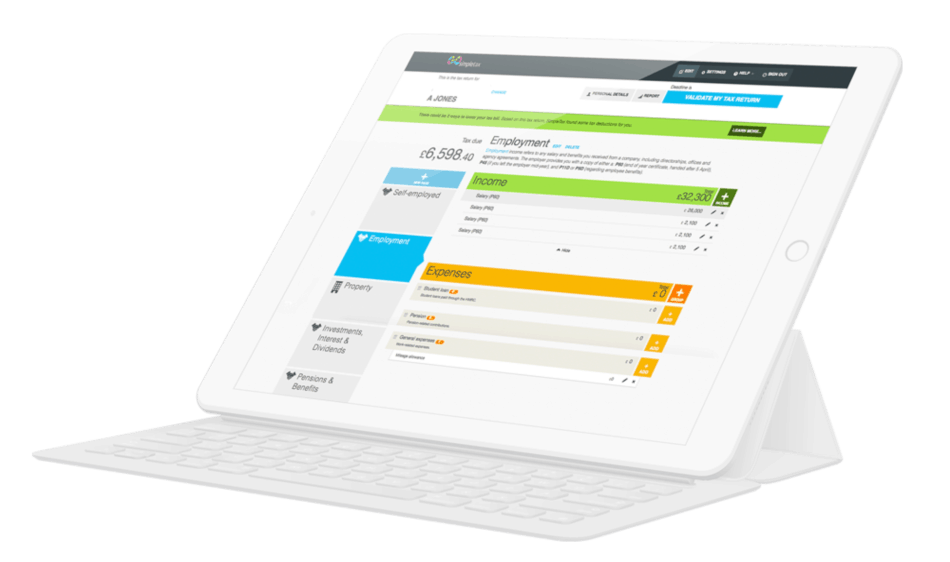
Whether you need to complete and file this year’s tax return or ones from previous years, GoSimpleTax makes the job easier and quicker, while much cheaper than using an accountant to do it for you. GoSimpleTax makes mistakes less likely and it can ensure that you claim all of your tax expenses. Enjoy a no-obligation FREE trial today (no credit card required) to find out why sole traders and landlords love GoSimpleTax.
Blog content is for information purposes and over time may become outdated, although we do strive to keep it current. It's written to help you understand your Tax's and is not to be relied upon as professional accounting, tax and legal advice due to differences in everyone's circumstances. For additional help please contact our support team or HMRC.

5 Excellent Reasons to Choose Us to File Your Tax Return
Discover how to make tax returns a doddle...
Find out moreSelf Assessment and MTD Tax Returns: What £50K Earners Need to Know
02 Jun 2026
What happens after I file my Self Assessment tax return?
11 May 2026
What’s Changing Under the UK’s New Foreign Income Rules in 2026?
08 Apr 2026