Some UK employees are fortunate enough to receive shares or the promise of shares in their employer’s company as part of their remuneration package. They’re more common in certain sectors, having been a popular benefit for many years for those joining large tech businesses in the shape of Restricted Stock Units (RSUs). These are a promise from your employer of ownership of company shares at a future date.
They’re meant to provide an additional incentive for employees to contribute more, so that the value of their shareholding increases in line with the success and growth of the business. RSUs are given, they’re not bought by an employee. But there is a “vesting period”, which is the time the employee must wait until they gain full ownership (which is why they’re restricted).Typically, the vested period could be up to five years.
How are Restricted Stock Units taxed in the UK?
- Because they’re classed as income, RSUs are subject to Income Tax and National Insurance “at vesting”, which is when the employee gains full legal ownership. Any tax payable is determined by the market value of the shares when vested, as well as the recipient’s taxable income from other sources.
- Capital Gains Tax (which is 10% for basic-rate taxpayers and 20% for higher and additional-rate taxpayers) can also be payable if the shares are sold. Only the gain is taxed, which is the difference between the selling price and market value when vested. Capital Gains Tax is only payable on gains over the Annual Exempt Amount, which is a tax-free annual allowance of £3,000.
- Once your RSUs are vested, you can sell them promptly so that no additional tax is payable. If you choose to hang on to them but later sell them, Capital Gains Tax may indeed be payable.
Need to know! Seeking tailored tax advice, because effective tax planning can help you to reduce your tax liability significantly. For example, you may choose to increase your pension contributions to reduce your Income Tax bill or transfer some ownership of your RSUs to your spouse to lessen your CGT liability.
Reporting Restricted Stock Unit income
Normally, via the company PAYE payroll, employers deduct Income Tax and NICs for RSU shares vested to their employees, who do not have to complete a tax return. It’s only usually necessary to complete a Self Assessment tax return if you sell your RSU shareholding once vested. If you receive any taxable share dividend payments from your company, these will need to be reported to HMRC via Self Assessment.
To report taxable RSU income to HRMC, you must register for Self Assessment, which is the system used to collect Income Tax and National Insurance contributions (NICs). You can do this online. You must do this before 5 October, following the end of the UK tax year (5 April) during which you earned taxable share income or gained from selling your RSU shares.
File a Self Assessment tax return
To report taxable capital gains made from selling RSUs, once you’re registered, each year you must complete and file a Self Assessment tax return (called an SA100), plus supplementary pages required for specific sources of taxable income (eg the SA108 for capital gains).
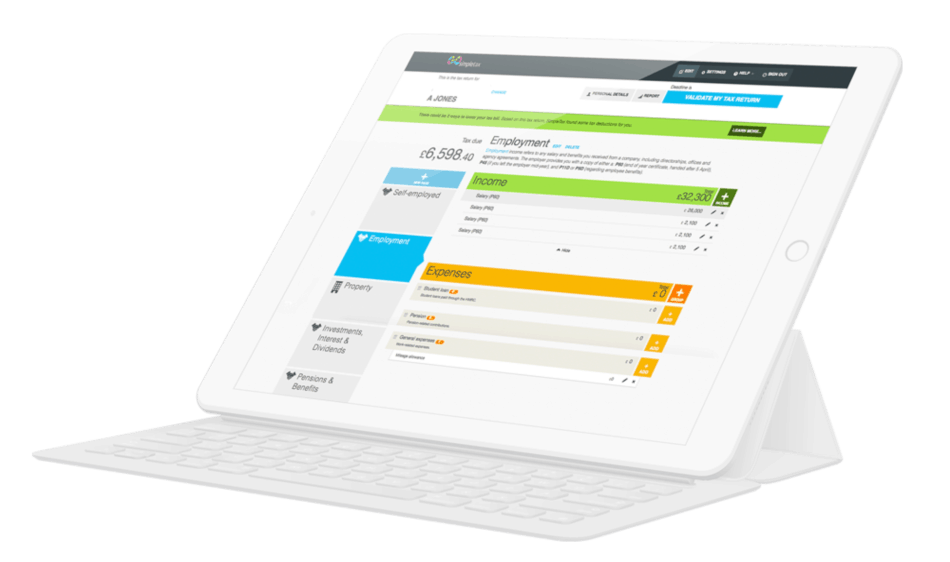
Taxable income from vested RSUs should be shown in the employment section of the SA100 Self Assessment tax return. Your P60 should tell you how much tax you’ve paid via PAYE (Pay As You Earn) on your RSUs. The online filing deadline for submitting your Self Assessment tax return is midnight on the 31 January. HMRC will then tell you how much tax you owe. NICs and Income Tax may be payable on your RSUs.
Need to know!
If the additional tax is less than £3,000 and you file your Self Assessment tax return online before 30 December, HMRC may change your tax code to collect the tax via PAYE (ie your company’s payroll). Alternatively, you’ll need to pay the tax yourself before the following 31 January.
GoSimpleTax offers you an easier and quicker way to complete and file your Self Assessment tax return. Automatic prompts also make basic mistakes much less likely when you’re filling in your tax return. Many thousands of people already use GoSimpleTax to report their taxable income to HMRC. Enjoy a FREE trial to find out how GoSimpleTax makes completing tax returns so much simpler.
Blog content is for information purposes and over time may become outdated, although we do strive to keep it current. It's written to help you understand your Tax's and is not to be relied upon as professional accounting, tax and legal advice due to differences in everyone's circumstances. For additional help please contact our support team or HMRC.

5 Excellent Reasons to Choose Us to File Your Tax Return
Discover how to make tax returns a doddle...
Find out moreSelf Assessment and MTD Tax Returns: What £50K Earners Need to Know
02 Jun 2026
What happens after I file my Self Assessment tax return?
11 May 2026
What’s Changing Under the UK’s New Foreign Income Rules in 2026?
08 Apr 2026