According to the HMRC-managed Trust Registration Service, about 633,000 trusts and estates are registered in the UK and they generate a total annual income of more than £3,075m.
A trust provides a way to manage assets such as money, investments, land or property. They’re used to protect family assets or pass them on. There are different types of trusts and they’re taxed differently. The “settlor” puts assets into a trust and decides how they’re used, while the “trustee” is the legal owner and manager of the trust asset(s).
The “beneficiary” gains from the trust (often there are more than one and that can include the settlor). Beneficiaries can receive trust income only (eg rental income from a house held in a trust), capital only (eg from shares held in a trust) or income from both sources.
Trustee tax responsibilities
A trustee is legally responsible for reporting and paying tax on behalf of the trust. If there are two or more trustees, one must be nominated as “principal acting trustee” to take care of tax matters (although the others remain liable).
- After a trust becomes liable for tax, the trustee must register it with HMRC and report its income and any gains via a Trust And Estate Tax Return (SA900) after the end of each UK tax year (5 April).
- By law, detailed income, expense and share records must be kept, because they enable a trustee to reliably complete the SA900 and any supplementary pages Penalties can result if accurate records aren’t kept.
- The trustee is responsible for sending HMRC a complete and correct tax return.
- Trustees have until 31 January each year to file the trust tax return online, following the end of the previous UK tax year on 5 April.
- If the trustee asks HMRC to calculate the trust’s tax or chooses to complete a paper return, the return must be filed before 31 October. Late-filing can result in a £100 automatic penalty.
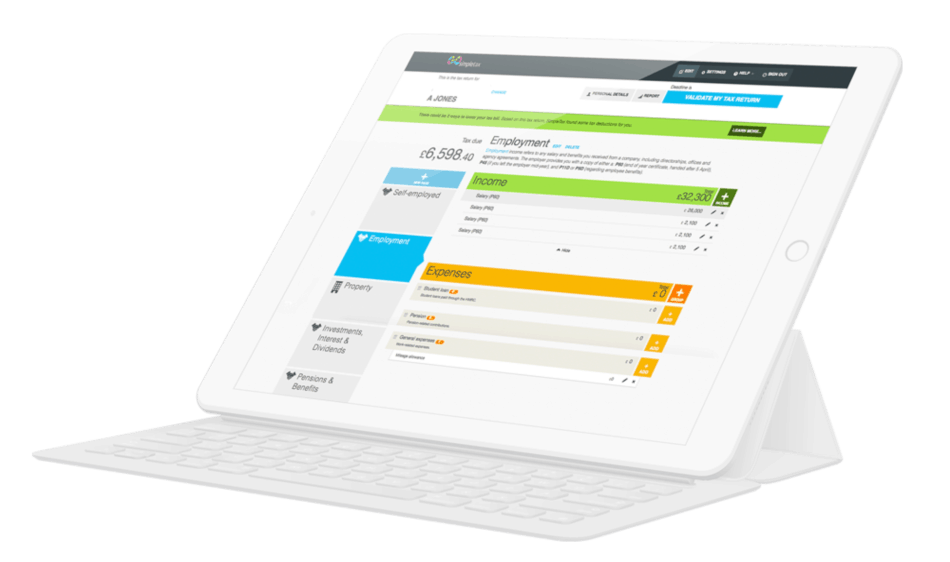
- Trustees cannot use HMRC’s online services to complete and file a Trust And Estate Tax Return, you either have to use commercial filing software (eg GoSimpleTax), fill in a paper form (very few choose this option) or get an accountant to complete and file the return (which involves significant cost).
- After a trustee has filed their trust tax return, HMRC will tell them how much tax is owed, which must also be paid before the deadline. If requested, the trustee must give the beneficiary a statement detailing income and tax paid by the trust.
Income Tax on trust income
Most trusts don’t pay Income Tax until trust income exceeds £500 in a tax year. Then, Income Tax is payable on the full amount of income. There are different rates of Income Tax for different types of trust. Trustees don’t get the dividend allowance (£500 in the 2024/25 tax year).
Depending on the type of trust and income, a beneficiary might be able to reclaim some of the Income Tax paid. Often beneficiaries have to pay Income Tax via Self Assessment (and register if they’re not already registered). This means having to complete the main Self Assessment tax return (the SA100), plus supplementary pages SA107 to report income received from a trust.
A settlor may also need to report via Self Assessment taxable income they received. You cannot use HMRC’s online services to complete and file a tax return or an SA107, but GoSimpleTax enables you to complete all of the necessary tax return paperwork and file it online, quickly and easily.
Trusts and Capital Gains Tax
Capital Gains Tax can be payable by someone who sells an asset to a trust or transfers the asset to a trust. If assets are taken out of a trust, the trustee(s) must usually pay the tax if they sell or transfer assets on behalf of the beneficiary. No tax is payable in bare trusts (ie a specific type of trust) when assets are transferred to the beneficiary.
Where Capital Gains Tax is payable, trustees must work out the total taxable gain, HMRC doesn’t do it. Allowable costs may be deducted to reduce the CGT liability. A few tax reliefs are also available (Private Residence Relief, Business Asset Disposal Relief and Hold-Over Relief).
- Capital Gains Tax is only payable by trustees if the total taxable gain is above the “annual exempt amount”, which is a tax-free annual allowance of £1,500 (or £3,000 if the beneficiary is disabled or a child whose parent has died).
Trustees need to report and pay any tax due after selling a UK residential property by using a Capital Gains Tax on UK property account. This must be done within 60 days if the completion date was on or after 27 October 2021 or 30 days if the completion date was between 6 April 2020 and 26 October 2021.
Trustees must report the sale or transfer of other assets by using a Trust and Estate Tax Capital Gains supplementary pages (SA905), plus the main SA900 tax return.
If you’re a trustee or beneficiary, you can’t use HMRC’s online services to complete your tax return. But you can use GoSimpleTax, the perfect ready-made online software that you can use to get the job done quickly, with prompts helping to prevent basic mistakes. GoSimpleTax also comes with reliable customer support. Start your FREE trial today and see how GoSimpleTax makes completing tax returns much quicker, easier and cheaper!
Blog content is for information purposes and over time may become outdated, although we do strive to keep it current. It's written to help you understand your Tax's and is not to be relied upon as professional accounting, tax and legal advice due to differences in everyone's circumstances. For additional help please contact our support team or HMRC.

5 Excellent Reasons to Choose Us to File Your Tax Return
Discover how to make tax returns a doddle...
Find out moreSelf Assessment and MTD Tax Returns: What £50K Earners Need to Know
02 Jun 2026
What happens after I file my Self Assessment tax return?
11 May 2026
What’s Changing Under the UK’s New Foreign Income Rules in 2026?
08 Apr 2026